

Block Now
Aussi disponible en québécois.
Supper is on the table. Or bedtime negotiations have collapsed, again. Either way, every screen in the haus needs to stop now — not in five minutes, not after this one level. That is exactly what the big button at the bottom of the Home screen (Accueil) is for. One tap, two choices, done. And the block cleans up after itself.
Pause the screens
Section titled “Pause the screens”-
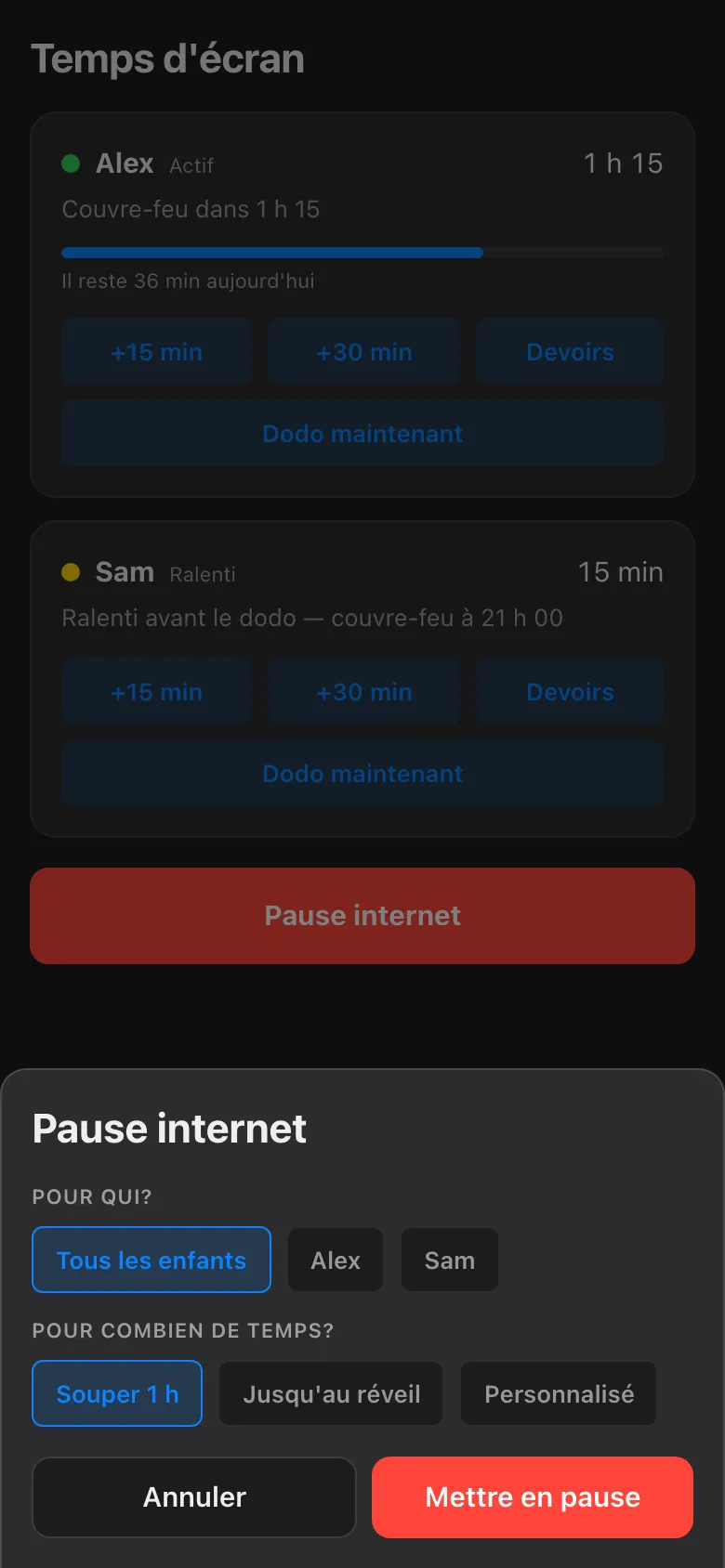
Open the app and tap Pause — the big button at the bottom of the Home screen. You cannot miss it; that is the point.
-
Choose who. Both kids, or just Alex, or just Sam. Blocking one child never touches the other’s screens, and it can never touch a parent’s device — those are simply not on the list.
-
Choose how long. A duration is always required: 30 minutes, an hour, or jusqu’au réveil — until the child’s next wake time, which is the longest option there is. There is deliberately no “forever”.
-
Confirm. The app blocks every screen that child uses — phone, PC, console, the shared TV — and asks the network box to verify each one. A card only says bloqué once the box has confirmed it, not before.
That is the whole job. When the time is up, the block releases itself and the app makes a note that it did. No reminder needed from you, and nothing left flipped.
What “held until” means
Section titled “What “held until” means”Open any device while a block is active and the hold is spelled out: what is blocked, who blocked it, since when, and exactly when it ends.
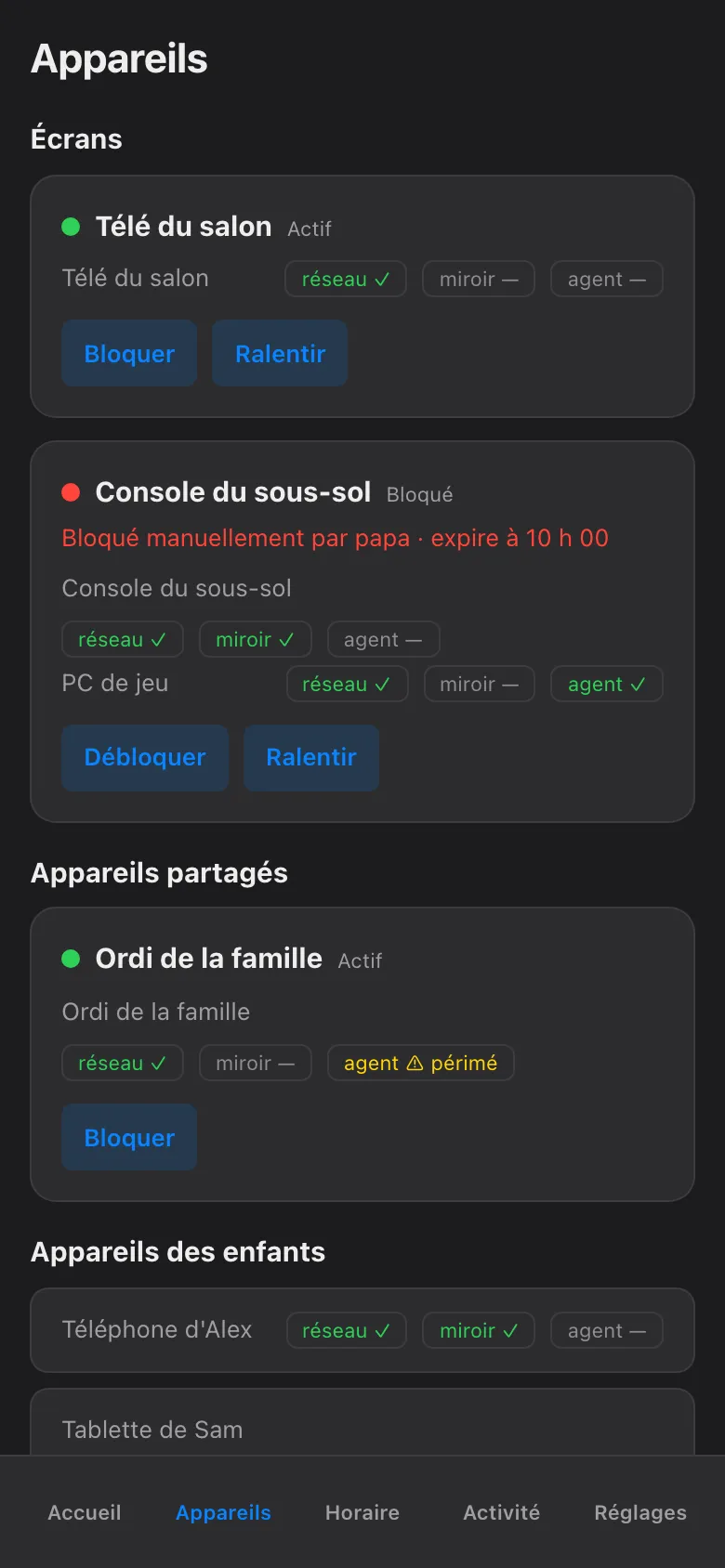
The rule fits in one sentence. A manual block expires on its own at the child’s next wake time by default — nothing blocks forever. Pick 30 minutes and it ends in 30 minutes. Pick jusqu’au réveil and the morning unblocks it. Either way there is no invisible switch left on, and no console still mysteriously dead three days later because somebody forgot.
Changed your mind early? Tap Reprendre (resume) on the same card and the pause lifts right away. Want the opposite — to grant time rather than take it — the More Time page is where a yes lives.
This button is for the whole haus at a supper or a bedtime. For one child at their actual bedtime, Bedtime Now answers both questions for you with a single tap on that child’s card.
The button pauses the screens. Explaining why to the people holding them remains, regrettably, a parent-level feature.